ValDoc.AI
The Validation Operating System
Integrated capabilities that take you from equipment onboarding to controlled document generation, digital execution, and audit-ready closeout — without spreadsheets, copy-paste, or disconnected systems.01Equipment
01Equipment
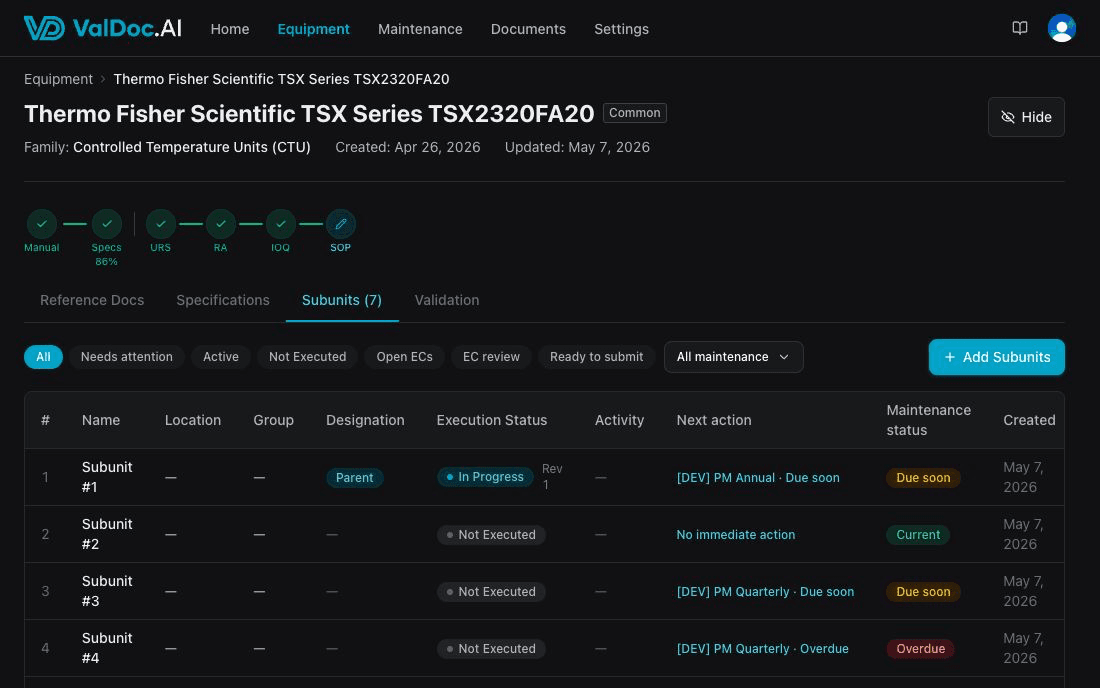
Equipment Management
Your equipment library — organized by family, model, and subunit, with detailed specs, manual uploads, and validation context in one place.Equipment families with shared spec field templates
Thorough specification fields per model
02
02Maintenance
02Maintenance
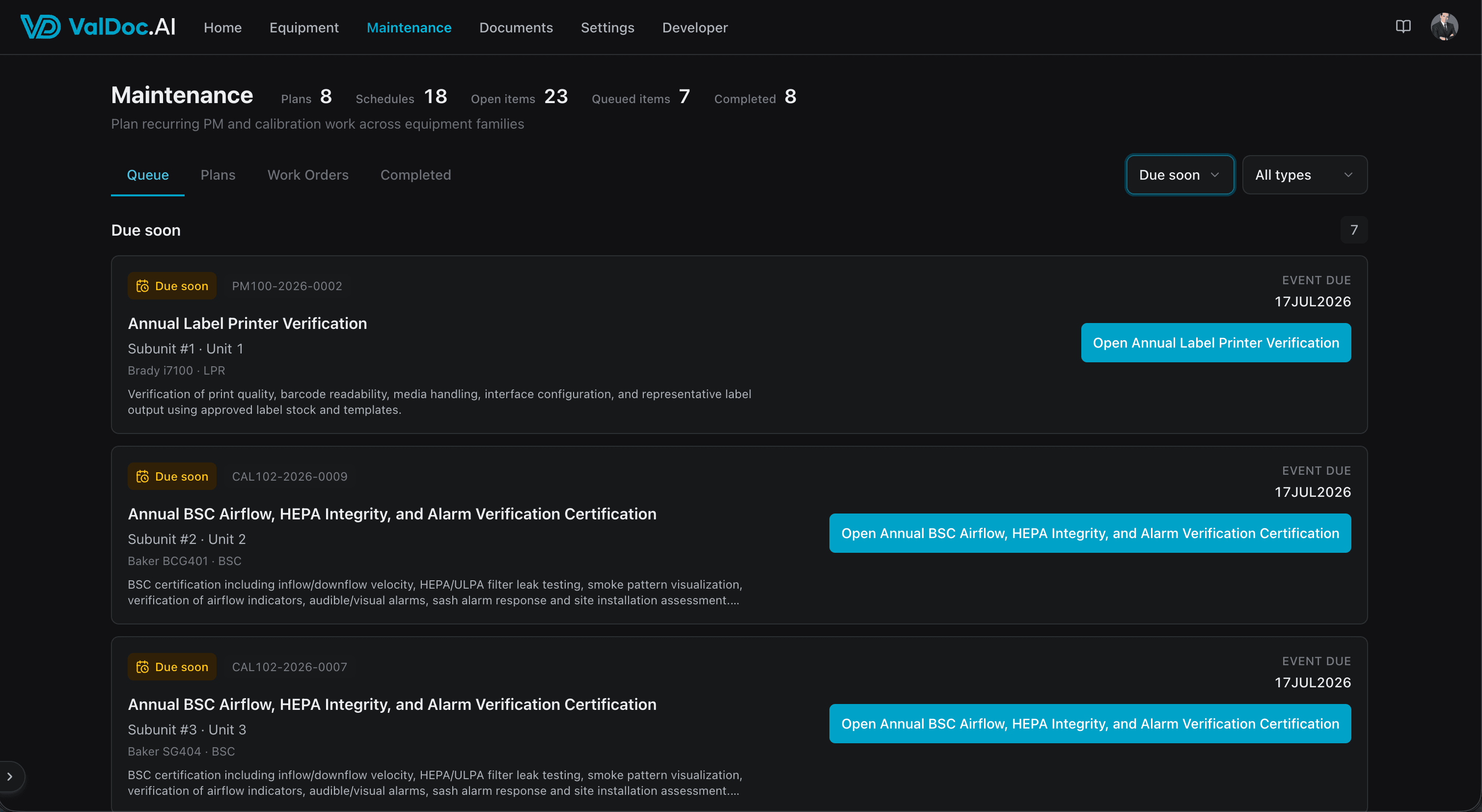
Maintenance & Calibration Control
Track PM and calibration work against the same equipment records used for validation. Keep schedules, evidence, vendor context, and due-state visibility close to the asset.PM and calibration plans assigned by subunit
Due-soon, overdue, snoozed, paused, and follow-up queues
03
03Generation
03Generation
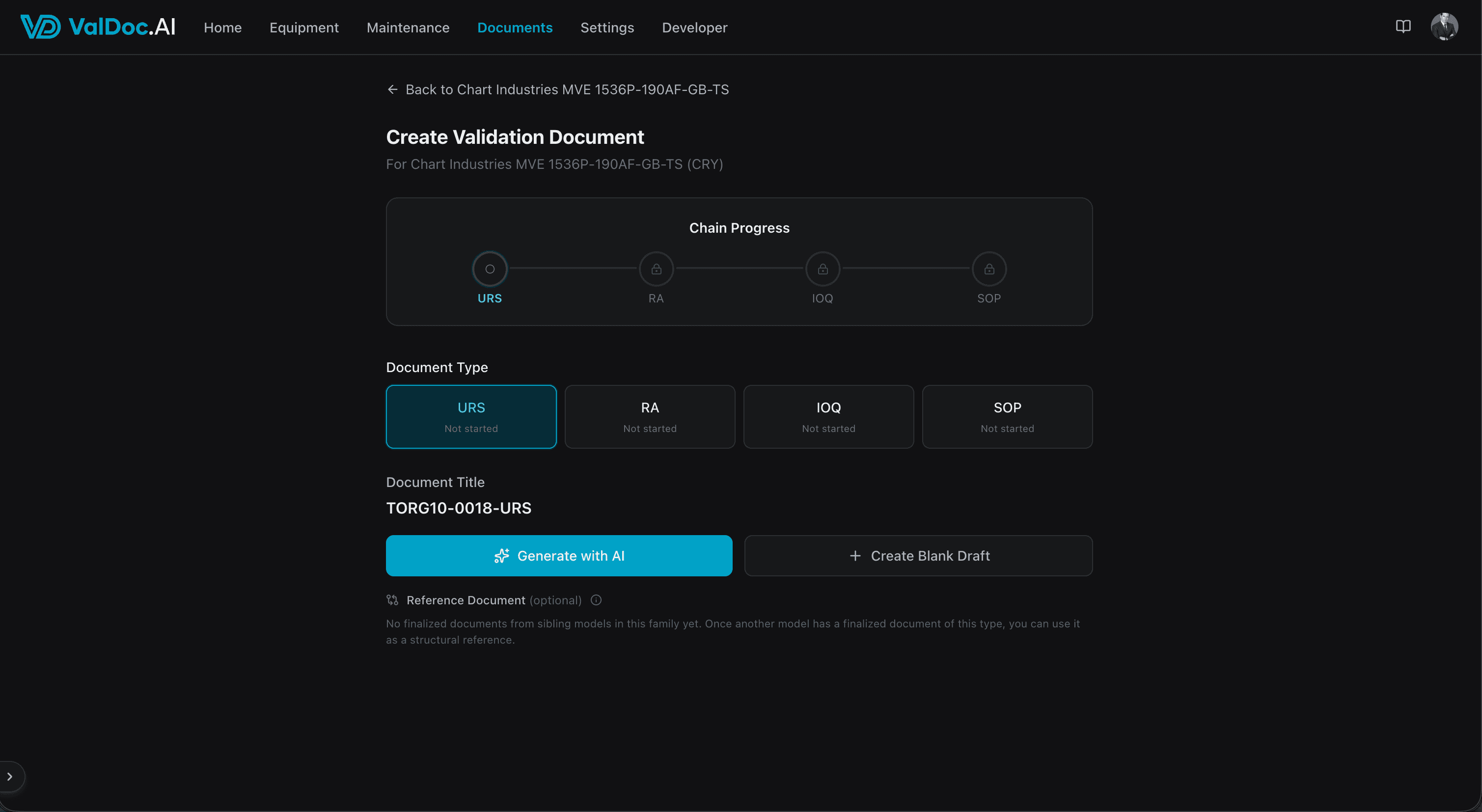
Controlled Document Generation
Generate validation documents from equipment data inside controlled templates and domain-specific rules. ValDoc creates structured drafts instead of open-ended freeform content.Full validation chain: URS, RA, IOQ, SOP
Controlled AI layer creates structured drafts
04
04Collaboration
04
- Inline threads
- Live presence
- Resolution tracking
04Collaboration
Editing & Collaboration
Refine generated documents with a rich editor. Inline commenting and threaded discussions keep review feedback anchored to the content it references.Rich text editor with tables, headings, and formatting
Inline comments tied to specific text selections
05
05Execution
05Execution
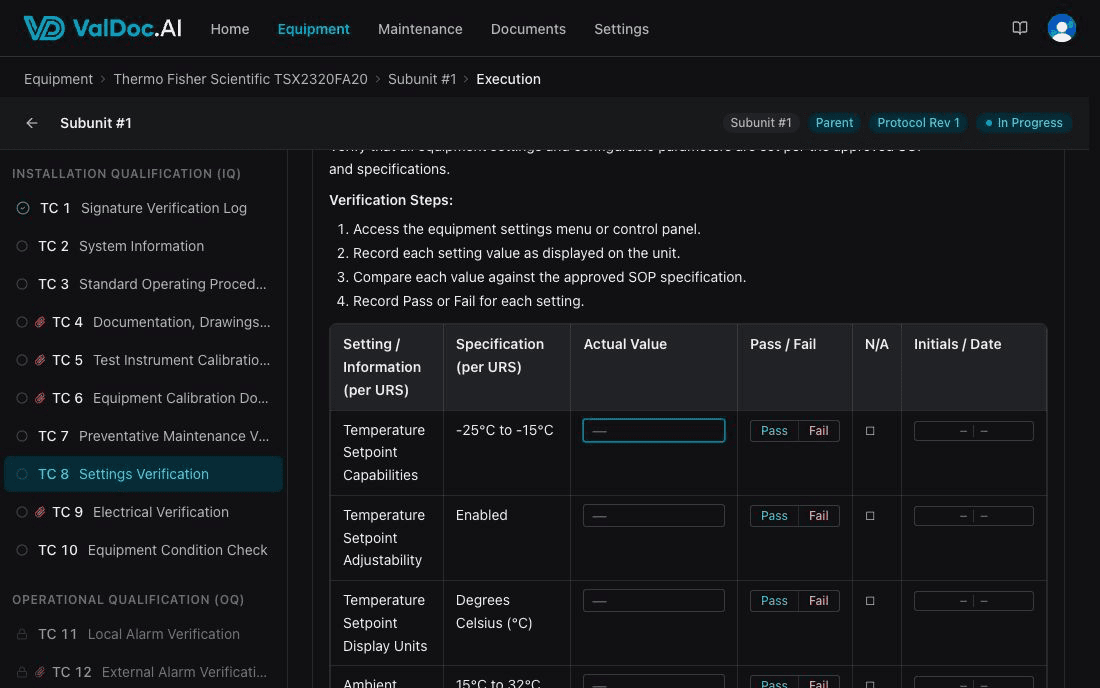
Digital Execution
Move approved IOQ protocols into execution workspaces built for real qualification activity. Test cases, signatures, evidence, and completion rules stay in the same governed system.Dedicated execution workspace for each subunit
Guided test-case completion with phase-aware gating
06
06Exceptional Conditions
06
- Five-step workflow
- Two approval cycles
- Blocking closeout
06Exceptional Conditions
Structured Exceptional Conditions
When a test case fails, ValDoc creates a linked exceptional condition and routes it through a governed resolution workflow instead of leaving teams to manage it offline.Fail results automatically create exceptional conditions
Five-step digital workflow from observation to verification
07
07Approvals
07
- Content hashes
- Stale detection
- Password-verified
07Approvals
Approvals & E-Signatures
Configurable review and approval routing across document revisions, execution review, and exceptional-condition closeout. Track who approved what, when, and why.Multi-person review with configurable approval thresholds
Approval comments and decision capture across the workflow
08
08Compliance
08
- Actor · action · time
- Exportable events
- Immutable versions
08Compliance
Audit Trail & Compliance
Every action tracked, every change logged. Designed to support Part 11-compliant use and keep both draft and executed validation records audit-ready.Comprehensive audit log with actor, action, and timestamp
Filterable and exportable audit events
09
09Oversight
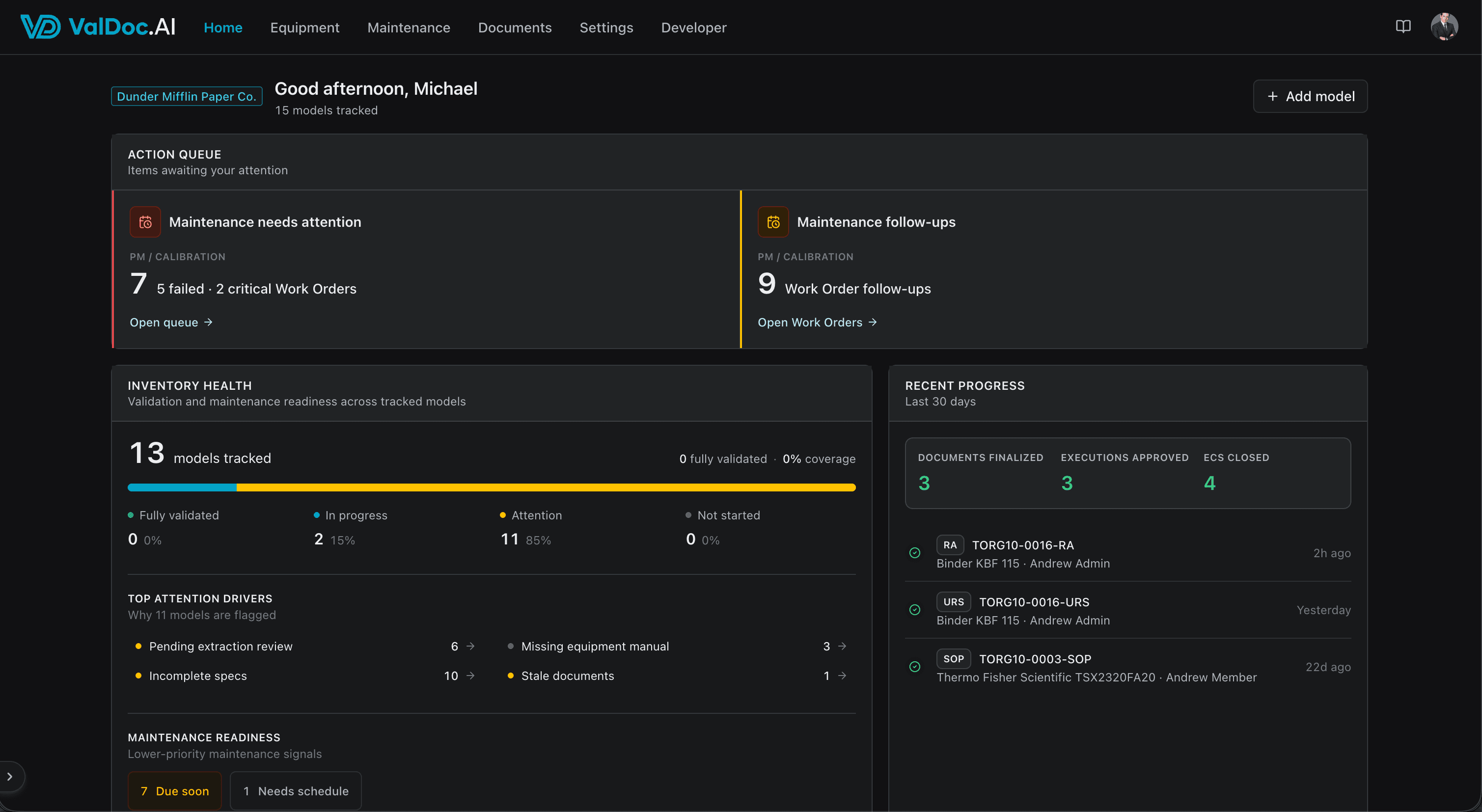
09Oversight
Visibility & Oversight
See your validation pipeline at a glance. Know which equipment needs attention, which documents or executions are in review, and what has already been finalized or compiled.Pipeline visualization across URS, RA, IOQ, SOP, and execution
Models needing attention with next-action guidance
Schedule a walkthrough